What is Windows Desktop Automation 2026 and Why is it Crucial?
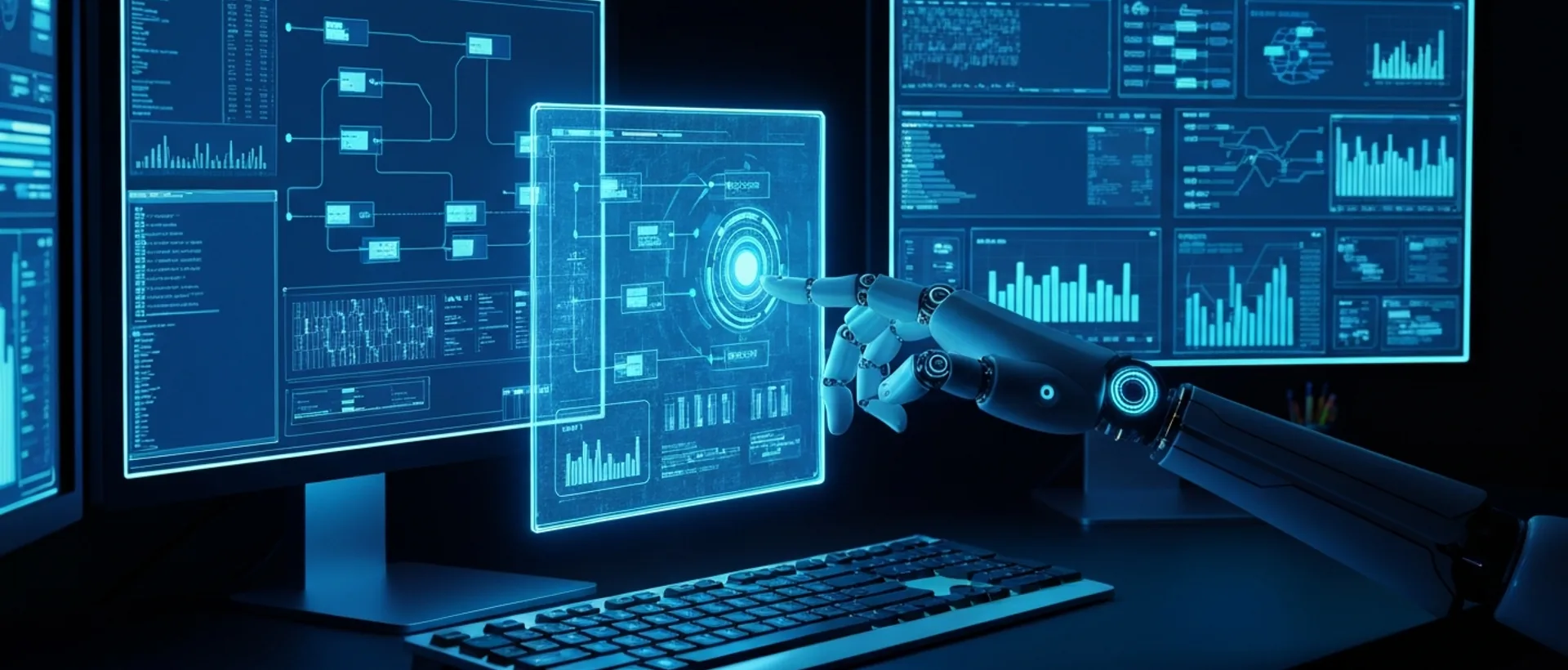
Windows Desktop Automation 2026 is, in simple terms, software that mimics what we do on the computer, but much faster and without complaining. Think of clicks, typing, copying and pasting data, or navigating systems – all done by a virtual robot. The main goal is to take repetitive and boring tasks off our hands, freeing us up to do things that really matter and require our intelligence and creativity. It’s not magic; it’s technology well applied.
The importance of this technology in 2026 isn’t just sales talk; it’s a real necessity. The market is moving faster and faster, and companies need to be efficient to survive and grow. Reducing errors, cutting costs, and optimizing time are goals everyone has, and automation is one of the main tools to achieve them. It’s the difference between your company running or crawling in the race for results. In my opinion, those who don’t look at this now will be left behind. It’s like trying to compete in Formula 1 with a Beetle – it’s impossible!
This wave of Robotic Process Automation (RPA) reflects an essential adaptation. We see the pressure for productivity in all areas, and speed and precision in task execution have become competitive differentiators. Imagine the time this frees up for a single mother, who already juggles a thousand things to keep up? It’s not just about profit; it’s about quality of life and allowing people to focus on what’s valuable. In Brazil, for example, Shakira recently highlighted that there are over 20 million single mothers who struggle to support their families. If automation can take some of the weight of daily bureaucracy off these and other people, the investment will have been worth it.
Technology isn’t just for giant companies with lots of money. Small and medium-sized businesses can also automate everything from basic administration to more complex workflows. This directly impacts productivity and aids strategic decision-making. What’s more: automation contributes to regulatory compliance and data security. Robots don’t make mistakes when filling out an important form, minimizing risks in critical operations. It’s a way to sleep more soundly, knowing the robot won’t forget a zero or swap a CPF (Brazilian tax ID).
Why is 2026 the Turning Point Year for Windows Automation?
The truth is that Windows Desktop Automation 2026 isn’t a distant promise; it’s already happening. But in 2026, the expectation is that the technology will be even more mature, accessible, and integrated. The evolution of RPA platforms, along with the popularization of artificial intelligence, will make implementation easier and the return faster. We will see a massive migration of manual tasks to robots.
The pandemic greatly accelerated the need for digital and remote processes, and many companies realized they could no longer rely solely on paper and handwritten spreadsheets. By 2026, this mindset will already be consolidated. No one will want to go back. It’s like the internet: once you have it, you can’t imagine life without it. Automation is the new internet for work processes.
Furthermore, competition is becoming increasingly fierce. Companies that don’t invest in automation will struggle to keep their costs low and their productivity high. It’s a matter of survival. Your competitors are already looking into this, or have already implemented it. You don’t want to be the company still using a typewriter while everyone else has a computer, do you? It’s an “automate or be automated” scenario.
I confess that, at first, I thought it was something out of a sci-fi movie. But seeing it in practice, the reality is that automation is a powerful ally. It doesn’t take away our jobs; it takes away the boring work. And those who don’t understand this are missing a golden opportunity to improve employees’ lives and the company’s performance. Sometimes, we cling to the “old way” of doing things, but the future doesn’t wait.
How to Automate Windows Tasks 2026: A Practical Guide
Automating tasks in Windows in 2026 isn’t a seven-headed beast, but it does require a method. Think of it like preparing a good BBQ: you don’t just throw the meat on the grill any old way. You have to plan, choose the right ingredients, and follow the steps so you don’t burn everything. Here, we’ll detail the step-by-step so you don’t fall flat and can reap the benefits of Windows Desktop Automation 2026.
1. Process Identification: Where the Magic Begins
The first step is to map out repetitive tasks. Those you do every day, every week, and that consume precious time. Think of rule-based processes, where there isn’t much “if” and “but” – it’s always the same path. Classic examples include data entry into systems, generating that monthly report no one can stand doing anymore, or processing invoices. Prioritize tasks that, if automated, will bring the greatest return on investment (ROI). There’s no point in automating the coffee break if the bigger problem is accounting. You need a strategic eye.
I always say the secret here is to be surgical. Don’t try to automate everything at once. Start small, with a process that is well-defined and causes a headache. This way, you prove the value of automation and gain the team’s trust. I remember a project where we automated CRM updates, and the sales team’s relief was palpable. They stopped wasting hours typing and could focus on selling more. The end of long, tiring manual tasks is a relief for everyone, right? It’s almost as if someone finally filed an amendment to end boring bureaucracy instead of delaying the end of tiring work schedules.
2. RPA Tool Selection: The Right Choice Makes All the Difference
With the processes in hand, it’s time to choose your Windows Desktop Automation 2026 tool. And here, my friend, there are tons of options. Think about what your company needs and what your budget allows. Ease of use is key, especially if your team isn’t made up of programmers. Scalability, meaning whether the tool grows with you, is also important. Does it need to integrate with the programs you already use? And what about security? Tools like UiPath, Microsoft Power Automate Desktop, and the Brazilian Minicor Automação em Escala offer different approaches, each with its strengths.
For beginners, I always suggest something more accessible and easy to learn. There’s no point in getting the most powerful tool on the market if no one can use it. It’s like buying a Ferrari to drive in São Paulo traffic: it makes no sense. The ideal is to start with something that gives you quick results and is intuitive. It’s more important to have a tool that works well for your context than the most expensive or feature-rich one.
3. Robot Development: Getting Down to Business
Now for the fun part: creating the robot! Most RPA tools have a graphical interface where you ‘record’ the actions the robot should perform. It’s like teaching a bird to whistle, only much easier. You drag and drop components, configure variables (like “customer name,” “invoice amount”), and define logical conditions. “If field X is empty, do Y.” It’s a very visual and intuitive process, without needing to be a programming genius.
I’ve seen people who have never programmed in their lives create super complex robots in a few weeks. The secret is patience and following the logic of the process. Think as if you were explaining it to a child: step 1, step 2, step 3. The robot is literal; it only does what you tell it. If you skip a step, it will skip it too. It’s like baking a cake: if you forget the baking powder, it’s over.
4. Testing and Optimization: The Acid Test
After “teaching” the robot, it’s time to test, test, and test again. It needs to work in different situations, including exceptions. What if the system crashes? What if the file isn’t there? The robot needs to know how to react. Monitor performance, see where it’s taking too long or where it might fail. Make the necessary adjustments to make it robust and efficient.
Don’t fall into the trap of thinking the robot will work perfectly the first time. There’s always a detail, a comma we forget. And that’s okay! It’s part of the process. I usually joke that testing is the time to “torture” the robot to see if it can handle the pressure. Only then can you ensure it will be a good virtual employee, one that won’t give you headaches in the future.
5. Deployment and Monitoring: The Robot in Action
With everything tested and approved, it’s time to put the robot to work for real. Deploy it in the production environment and maintain continuous monitoring. This way, you quickly identify and resolve any problems, ensuring that operations don’t stop. Remember that systems change, websites update, and the robot sometimes needs to be “re-trained.”
Automation is not a project with a beginning, middle, and end. It’s a continuous process of improvement. The robot will always be learning and being adjusted. It’s like having a new employee: you train them, follow up, give feedback. The difference is that the robot doesn’t ask for a raise or complain about the coffee. But it does require attention and maintenance to always deliver its best.
Best Desktop RPA Tools in Brazil in 2026
Choosing the right Windows Desktop Automation 2026 tool is like choosing a football team: you have to root for one that brings you joy, not headaches. In Brazil, the RPA market is booming with very interesting options, each with its own style. Let’s take a look at those that are standing out and why they might be your best play.
UiPath: The Global Giant
UiPath is like the Real Madrid of automation: a global leader, robust and scalable, perfect for large companies with complex processes. It has a gigantic community, lots of learning materials, and integrates with a host of other technologies. If your company has the money to invest heavily and needs a complete platform, UiPath is a safe bet. The cost can be steep, yes, but the breadth and ability to handle complex scenarios justify the investment for those seeking the elite of automation.
I’ve seen projects with UiPath that completely transformed the operations of large banks. It’s impressive what the tool can do when well-implemented. But, I confess, for those starting from scratch or with a tighter budget, it can be a bit much. It’s like trying to drive a truck without ever having held a steering wheel. Its learning curve is real, but the potential is enormous.
Microsoft Power Automate Desktop: The Accessible Solution from the Giant
If you already live in the Microsoft ecosystem (Office 365, Teams, etc.), Power Automate Desktop is like a brilliant move. It integrates beautifully with everything Microsoft offers. The best part? It’s more accessible and easier to get started, even for those who know nothing about programming. It’s the ideal option for those seeking Windows Desktop Automation 2026 without needing an absurd investment or a super specialized IT team. For small and medium-sized businesses, it’s a lifesaver.
Microsoft hit the nail on the head with this tool, making automation more democratic. For me, it’s one of the best entry points into the RPA world, especially in Brazil, where most companies already use Windows and Office. It’s like having a private BBQ chef who already knows all your guests and what everyone likes. Simple and effective.
Minicor Automação em Escala: National Pride
Here, we’re talking about our very own, from Brazil! Minicor Automação em Escala is a solution that has been gaining ground because it’s “homegrown,” focusing on the processes and particularities of the Brazilian market. It stands out for its scalability and offers technical support in Portuguese, which makes a huge difference when things get tough. For me, Minicor is a strong contender, especially for companies looking for a national alternative with a cost-benefit that makes you happy.
I, personally, like to see Brazilian companies excelling in technology. Minicor shows that we don’t need to depend only on foreign solutions. Furthermore, local support is a giant differentiator. Imagine having a problem and being able to talk to someone who understands your reality, without an accent and without crazy time zones? It’s a relief. It embodies the “Brazilian spirit” applied to automation, in the best sense of the word: being efficient and adapted to our reality.
Automation Anywhere: Intelligence Beyond the Basics
Another global heavyweight, Automation Anywhere, bets on intelligent automation, mixing RPA with artificial intelligence (AI) and machine learning. If you have more advanced processes and want the robot to learn and make decisions, this is an option to consider. It’s a complete platform for those seeking cognitive resources and wanting to go beyond simple rule-based automation.
Blue Prism: Security and Governance First
Blue Prism is the choice for the most “by-the-book” users. Known for its robustness, governance, and security, it is preferred by highly regulated industries, such as banks and insurance companies. The development environment is more technical, yes, but its enterprise automation capability is enormous. If your company cannot afford mistakes and needs rigorous control, this is the one.
Advantages of Windows Process Automation for Your Company
The advantages of Windows Desktop Automation 2026 are not just theory; they are concrete results that knock on your company’s door and, honestly, give it a push forward. It’s not just about technology; it’s about how technology improves daily life, performance, and, ultimately, the lives of those who work there.
Increased Efficiency and Productivity
This is the most obvious and, perhaps, the most impactful advantage. Robots don’t sleep, don’t take vacations, don’t get sick, and don’t complain about Mondays. They operate 24 hours a day, 7 days a week, non-stop. This means tasks that would take hours or days for a human are done in minutes. The volume of work processed increases significantly, and the cycle time of each process drastically decreases. Think of the gain! It’s not about taking jobs; it’s about taking away the burden. Think of how many single mothers, like the 20 million Shakira mentioned in her show, could have a less stressful life if boring tasks were automated.
I’ve seen teams that spent 30% of their time just on repetitive tasks. With automation, that time was freed up for strategic activities that truly add value. It’s like having an army of super-efficient clones working for you, without extra HR costs. And without needing a politician to file an amendment to end inefficiency.
Reduction of Operational Costs
Here, the math is clear: less time spent on manual tasks means less cost. By automating, your company can reallocate employees to higher-value functions, meaning where human intelligence is irreplaceable. This reduces the need to hire more people just to do “robot work” and optimizes the use of the human resources you already have. It’s an investment that pays for itself.
It’s not that the robot will replace the person; it will replace the boring task. The person can develop, learn new things, focus on customer relationships, on innovation. It’s an intelligent way to use human capital. And, let’s be honest, nobody wants to pay a salary of R$ 46 thousand, like some politicians who work an easy 3x4 schedule, for someone who only copies and pastes, right?
Minimization of Human Errors
Robots follow rules. And they follow them with 100% precision, always. Say goodbye to typing errors, incorrect calculations, or omissions that are super common when we’re tired or distracted. This results in cleaner data, more reliable reports, and decisions based on correct information. The quality and consistency of data increase significantly.
I’ve lost count of how many times I’ve seen a typing error cause a big problem. With automation, this kind of headache practically disappears. It’s a guarantee that the work will be done correctly, every time. And the company’s reputation benefits.
Improved Service Quality and Customer Experience
Faster, error-free processes translate into quicker responses to customers, less waiting time, and greater overall satisfaction with services. When a customer calls and you already have all the information at your fingertips (or rather, at the robot’s fingertips), the experience is different. This strengthens your company’s reputation and builds customer loyalty.
Think of a call center. If the robot already pulls all the customer’s data and history, the agent doesn’t need to ask the same thing 5 times. The customer is happy, the agent is happy, and the company wins. It’s a virtuous cycle that begins with Windows Desktop Automation 2026.
Scalability and Flexibility
Automation allows companies to quickly scale their operations up and down, according to demand. Sales peak? The robot can handle the pressure without needing to hire temporary staff. Low demand? The robot can be adjusted to focus on other tasks. It’s a flexibility that human labor cannot deliver at the same speed.
Robots can be easily configured to handle larger volumes of work, without the need to increase staff. This is gold for those in seasonal markets or with unpredictable demand peaks. It’s like having a football team that can field 11, 22, or 33 players at once, depending on the opponent.
RPA for Small Businesses Windows: Accessibility and Benefits
Many people still think that Robotic Process Automation (RPA) is for giants, like big banks or multinationals. But let me tell you a secret: in 2026, that idea is more outdated than dial-up internet. The truth is that RPA for small businesses on Windows is not only a viable reality, but it’s also a smart and accessible strategy. Stop thinking it’s only for those with a Hollywood blockbuster budget.
Small businesses can, and should, benefit immensely from automation. Think of the tasks that consume the most time and patience: invoice processing, inventory management, updating the CRM, scheduling appointments, or generating financial reports. All of these are perfect candidates for a robot. By automating these nuisances, entrepreneurs and their teams free up precious time to focus on what really makes the business grow: better customer service, innovation, planning for the future. It’s the end of repetitive manual work for small business owners, allowing them to dream of a more balanced schedule with more quality of life.
The market has noticed this demand. Tools like Microsoft Power Automate Desktop and our beloved Minicor Automação em Escala offer versions with lower costs, or even free to start. And the best part: they come with low-code or no-code interfaces. This means you don’t need to be a programmer to implement them. It’s drag and drop, configure, and you’re done. My confession: I was skeptical about small businesses’ ability to adopt RPA without a robust IT team, but these tools have completely changed my mind. It’s easier than it looks.
Implementing RPA on Windows allows small businesses to play on equal terms with larger players. They optimize already limited resources, improve operational efficiency without needing large infrastructure investments. It’s like having a superpower that levels the playing field. Why not use it? If politicians are slow to approve laws that benefit the majority, like the transition away from long, tiring work schedules, businesses can’t afford to wait. They need to take the reins of their own efficiency.
The benefits are clear and direct: your team uses its time better, errors drastically decrease, compliance with rules and laws improves, and the company gains the ability to scale operations intelligently. All of this directly impacts profitability and long-term sustainability. It’s an investment that not only pays for itself but also puts you ahead of the competition, ensuring that your small business doesn’t fall behind in the race for modernity.
Minicor vs. UiPath for Desktop Automation: Which to Choose?
When it comes to Windows Desktop Automation 2026, two tools that always come to mind are UiPath and Minicor Automação em Escala. Both are excellent, but each has its own profile, its own “DNA.” Choosing between them is like deciding between a luxury imported car and a powerful national one well-adapted to our roads. There’s no right or wrong; there’s what’s best for you.
UiPath: For Giants and Complex Processes
UiPath is, without a doubt, the ideal choice for large corporations. If your company has complex processes that span multiple departments, needs an end-to-end RPA platform with robust governance, unlimited scalability, and a gigantic library of integrations and AI features, UiPath is the tool. Its cost can be higher, it’s true, but for this type of company, the investment is justified by its comprehensiveness and ability to handle any challenge.
My opinion is that UiPath is for those already at another level of automation or for those who are born big. It offers a universe of possibilities but requires a dedicated and expert team to get the most out of it. It’s like having a supercomputer: if you’re only going to use it for social media, it’s overkill.
Minicor Automação em Escala: The Brazilian Strength
Minicor Automação em Escala, on the other hand, stands out as an excellent alternative, especially for medium-sized Brazilian companies. It shines by offering a more customized solution for our local context. Technical support in Portuguese, an understanding of our business particularities, and a competitive cost-benefit make it a very attractive option. It’s strong in scalable automation for specific processes, which is perfect for those who need quick results without the “overkill” of an oversized global platform.
I always root for national solutions, and Minicor is an example of how we can deliver quality and innovation. For me, the ability to have support that speaks your language, understands your pain points, and can adapt more quickly to legislative or market changes here in Brazil is a huge differentiator. It’s like having your favorite team playing at home, with the crowd on their side.
Quick Comparison: UiPath vs. Minicor
| Characteristic | UiPath | Minicor Automação em Escala |
|---|---|---|
| Main Target Audience | Large corporations, complex processes | SMEs and medium-sized Brazilian companies, specific processes |
| Ease of Use | Steeper learning curve | More accessible, focus on simplicity and effectiveness |
| Ecosystem/Community | Global, massive, many resources and certifications | Localized, personalized support, focus on Brazil |
| Initial Cost | Generally higher | More accessible, good cost-benefit |
| Support | Global, in English (with local options) | Localized, in Portuguese |
| Integrations | Wide range, advanced AI features | Focus on integrations common to the Brazilian market |
Ease of Use and Learning Curve
UiPath, being so comprehensive, has a steeper learning curve. It offers a depth of features that can intimidate those without experience. Minicor, on the other hand, aims to be more accessible, focusing on simplicity and effectiveness for the most common use cases. For teams with less RPA experience, Minicor can be a smoother path with quicker results.
Ecosystem and Community
UiPath has a massive global community, with forums, training resources, and certifications in abundance. If you like to learn on your own and have access to a global network of experts, that’s a strong point. Minicor, although smaller, compensates with more personalized support focused on the particularities of the Brazilian market. For me, this can be a crucial differentiator, especially when we need to solve a problem specific to our reality.
Cost
Generally, Minicor tends to be more accessible, which makes it an attractive option for small and medium-sized businesses with tighter budgets. UiPath, in turn, represents a larger investment, justified by a potential large-scale return for big companies. It’s like comparing the price of an airline ticket to New York with one to Porto Seguro: both are trips, but with very different purposes and costs.
The choice, ultimately, depends on your company’s size, the complexity of your processes, and your budget. For those seeking a robust solution adapted to the Brazilian reality, Minicor is an excellent choice. For those aiming for the top of the global chain and have the resources for it, UiPath is the way to go.
Challenges and the Future of Windows Desktop Automation 2026
Windows Desktop Automation 2026 is a bullet train, but like any journey, it has its challenges and mandatory stops. Understanding where we might stumble and where the technology is heading is fundamental to not being left at the station while the future passes by.
Challenges of Desktop Automation Implementation
Implementing automation isn’t just installing software and being done with it. The first challenge is correctly identifying processes. Many people try to automate something that didn’t even need to be done, or that is so messy that the robot doesn’t understand. It’s like trying to organize the house without knowing what’s trash and what’s treasure. Another point is resistance to change from employees. No one likes to have their routine altered, and the fear of being replaced is real. It requires a lot of communication and showing that the robot is an ally, not an enemy.
Robot maintenance is also a headache. Systems are updated, websites change, and the robot needs to be readjusted. It’s continuous work. And, of course, the need for technical expertise to develop and govern the robots. You can’t just throw it into the hands of someone who doesn’t understand anything. My confession: I’ve seen projects fail miserably because the company underestimated these challenges. It’s a shame, because the potential is gigantic. It’s like some professionals resisting automation as if it were going to take something away from them.
Security and Compliance: The Achilles’ Heel
Ensuring that robots operate securely and in compliance with regulations (like LGPD in Brazil) is a constant challenge. Robots handle sensitive data, and any failure can be a big legal and reputational problem. Regular audits, strict access controls, and constant monitoring are essential. Data privacy is a growing concern, and automation needs to be an ally, not a risk.
It’s like having a safe: there’s no point in having the safest safe in the world if you leave the key under the mat. Security in automation requires extra attention, always.
The Future of Robotic Process Automation 2026: Towards Intelligence
The future of Robotic Process Automation 2026 is exciting. We will see an increasingly deep integration of RPA with artificial intelligence (AI) and machine learning (ML). This transforms “dumb” automation (based on fixed rules) into “smart” automation. Robots will not only follow instructions; they will learn, adapt, and make more complex decisions.
Think that today the robot does what you tell it. In the future, it will suggest what to do, learn from mistakes, and optimize processes on its own. It’s like having an intern who, besides doing what you ask, also helps you think of solutions.
Cognitive Automation: The Robot That Thinks
The trend is for automation to go beyond rule-based tasks and begin to incorporate cognitive capabilities. This means processing natural language (understanding what we say or write), analyzing unstructured data (like emails and PDF documents), and interacting with systems in a more “human” way. A robot that reads a customer’s email, understands the request, and initiates the service process without human intervention? That’s already knocking at the door.
This is the part that excites me most. Automation will become a true partner, not just a tool. It will help us solve problems that today require a lot of analysis and interpretation.
Hyperautomation: End-to-End Automation
The concept of hyperautomation will consolidate. This is the combination of RPA with other technologies, such as AI, ML, process mining (to discover where to automate), and business process management (BPM). The goal is to automate entire business processes, end-to-end, and not just isolated tasks.
It’s like assembling a giant puzzle, where each piece is a different technology, and hyperautomation is the glue that binds everything together. This will generate unprecedented efficiency and change the way companies operate. Politicians might even want to postpone the end of tiring work schedules like the 6x1, but hyperautomation waits for no one. It is the future that is already happening, and those who don’t prepare will miss the boat.
Real-World Use Cases of Windows Automation in Various Sectors
We’ve talked a lot about theory and tools, but Windows Desktop Automation 2026 isn’t just talk. It’s transforming the reality of companies in various sectors, showing that the robot isn’t just for coders. It’s for those who want to solve real problems and optimize daily life. Let’s look at some practical examples that prove this.
Finance: Precision Where Every Cent Counts
In the financial sector, automation is like having a super-fast accountant who never makes mistakes. Robots can automate bank reconciliation, process invoices, open customer accounts (with all document verification), detect fraud in real time, and generate daily financial reports. This accelerates critical operations, reduces errors in monetary transactions, and ensures that data is always up-to-date.
I’ve seen a bank reduce the time spent on statement reconciliation by 80% with automation. It’s an absurd gain in efficiency and security. And the best part: the robot won’t invent an “error” in the declaration to skim some change, right? (Just kidding, but the precision is real!)
Human Resources: Freeing Up HR for People
HR is one of the sectors that suffers most from repetitive tasks. Automation can revolutionize employee onboarding (data registration, system access creation), payroll processing, benefits management, and even answer frequently asked employee questions. This frees up the HR team to focus on what really matters: people, talent strategies, and developing the company culture.
Imagine the time an HR professional saves by not having to type each new employee’s data into five different systems? It’s a relief that allows them to be more human and less “data entry clerks.”
Customer Service: Happier Customers, More Efficient Agents
In customer service, robots are the best assistants. They can collect information from various systems and deliver it to the call center agent in seconds, update records, process customer orders, and even interact directly via chatbots to resolve simple issues. This improves the speed and quality of service, leaving the customer much more satisfied.
Who hasn’t been annoyed waiting for an agent to look up their information on a bunch of screens? With automation, that headache greatly diminishes. It’s Windows Desktop Automation 2026 working to make your customer smile.
Healthcare: Caring for Data to Care for People
The healthcare sector, with its mountain of bureaucracy, is another big beneficiary. Automation can handle appointment scheduling, patient data entry into electronic health records, processing insurance claims, and managing medication inventory. All of this reduces the administrative burden on healthcare professionals, who can focus on what they do best: caring for patients. And the accuracy of clinical data increases, which is crucial for good diagnosis and treatment.
It’s a scenario where automation truly saves lives, indirectly, by freeing doctors and nurses to dedicate themselves to what matters.
Retail: Optimizing from Inventory to Online Sales
In retail, automation is a game-changer. It can manage inventory (notifying when a product is running low), update prices across multiple channels (website, app, physical store), process online orders, manage returns, and even analyze sales data to forecast demand. All of this optimizes the supply chain, improves the customer’s shopping experience, and helps the company sell more.
Think of an e-commerce that receives thousands of orders a day. Automating the processing of these orders is the difference between delivering on time or having a frustrated customer. It’s Windows Desktop Automation 2026 ensuring that the wheels of commerce turn without getting stuck.
FAQ
Q: What is desktop automation?
A: Desktop automation is the use of software to simulate human interactions with applications and operating systems on a computer. It automatically executes repetitive tasks, such as clicks, typing, and data extraction, without human intervention, increasing operational efficiency.
Q: How to automate tasks on Windows in 2026?
A: To automate tasks on Windows in 2026, you should first identify repetitive and rule-based processes. Then, select a suitable RPA tool, such as Power Automate Desktop or Minicor, develop the robot’s workflow, and, after testing, deploy it for continuous monitoring. The choice of tool will depend on the complexity and scale of your needs.
Q: What are the best desktop RPA tools in Brazil?
A: The best desktop RPA tools in Brazil include UiPath, Power Automate Desktop, and Minicor Automação em Escala. UiPath is ideal for large companies, Power Automate Desktop is accessible and integrated into the Microsoft ecosystem, while Minicor offers a robust solution with a focus on the local market and excellent cost-benefit.
Q: What is the future of Windows automation?
A: The future of Windows automation in 2026 points to a deep integration with artificial intelligence (AI) and machine learning (ML), resulting in ‘smart automation’ and ‘hyperautomation’. Robots will be more adaptable, learn from data, and process unstructured information, transforming business processes end-to-end.
Q: Is RPA viable for small businesses on Windows?
A: Yes, RPA is entirely viable and beneficial for small businesses on Windows in 2026. With more accessible tools and low-code or no-code interfaces, small businesses can automate administrative tasks, optimize resources, reduce errors, and compete more effectively, freeing up the team to focus on strategic business growth.
